🎧 ScratchDeck & Sampler Engine
[!TIP] Creative Sampling: Omni DAW features a built-in ScratchDeck module, combining the characteristics of a traditional DJ turntable with a modern sampler, drum loop slicing, and seamless sample feeding from the ElevenLabs AI generator.
🎛️ 1. ScratchDeck – Virtual Turntable and Sampler
ScratchDeck is a unique module for interactive editing and real-time vinyl scratching:
- Virtual Platter (Vinyl Platter): An interactive turntable knob allowing you to drag and scratch the sample with your mouse (the Jog parameter).
- Jog / Speed: The Jog parameter (-1.0 to +1.0) controls playback speed and direction — positive values speed up, negative values play the sample backwards. This is not a separate "pitch bend" in the MIDI sense, but one continuous platter drive parameter.
- Reverse: Backward playback of the sample — achieved by negative Jog values; there are also ready-made reverse gesture curves available in the curve bank.
- Curve Bank: 12 writable slots with preset or custom scratch gesture curves, plus a single anchor point in the sample.
- Direct ElevenLabs Sound FX Integration: With one click in the ScratchDeck window, you can generate a new TTS vocal or AI sound effect (e.g., "Vinyl crackle scratch", "DJ vocal shout") and immediately load it onto the platter!
🔊 2. Sampler Engine and Audio Format Support
The Omni DAW sampler engine seamlessly supports all the most popular audio formats:
- Supported Formats: WAV, MP3, FLAC, OGG (decoding based on the Symphonia library).
- Automatic Resampling: When the file's sample rate (e.g., 44.1 kHz) differs from the engine's operating frequency (e.g., 48.0 kHz), the sample is automatically resampled using sinc interpolation with a Blackman-Harris window (the
rubatolibrary) — without manual user intervention.
✂️ 3. Transient Detection and Slice-to-MIDI
One of the most important features of the sample editor is the automatic slicing of drum loops (Slice-to-MIDI):
[!NOTE] Detection Algorithm: The engine does not compute a full FFT spectrum — instead, it uses a faster, time-domain variation of "flux" detection: it calculates four band-pass signal energy estimators (including decimated RMS, delayed energy differences, and zero-crossing rate as an approximation of high-frequency content), sums their rising changes, and adaptively chooses the detection threshold based on a moving median and MAD deviation. Detected peaks (with a minimum spacing of 50 ms) become slice markers on the audio waveform.
- Slice Markers: Vertical markers appear on the waveform, which you can manually add, move, or delete.
- Slice-to-MIDI Function: With one click, it transforms a drum loop into a set of samples mapped to consecutive pads/keys and generates a corresponding MIDI clip, allowing you to freely rearrange the rhythm!
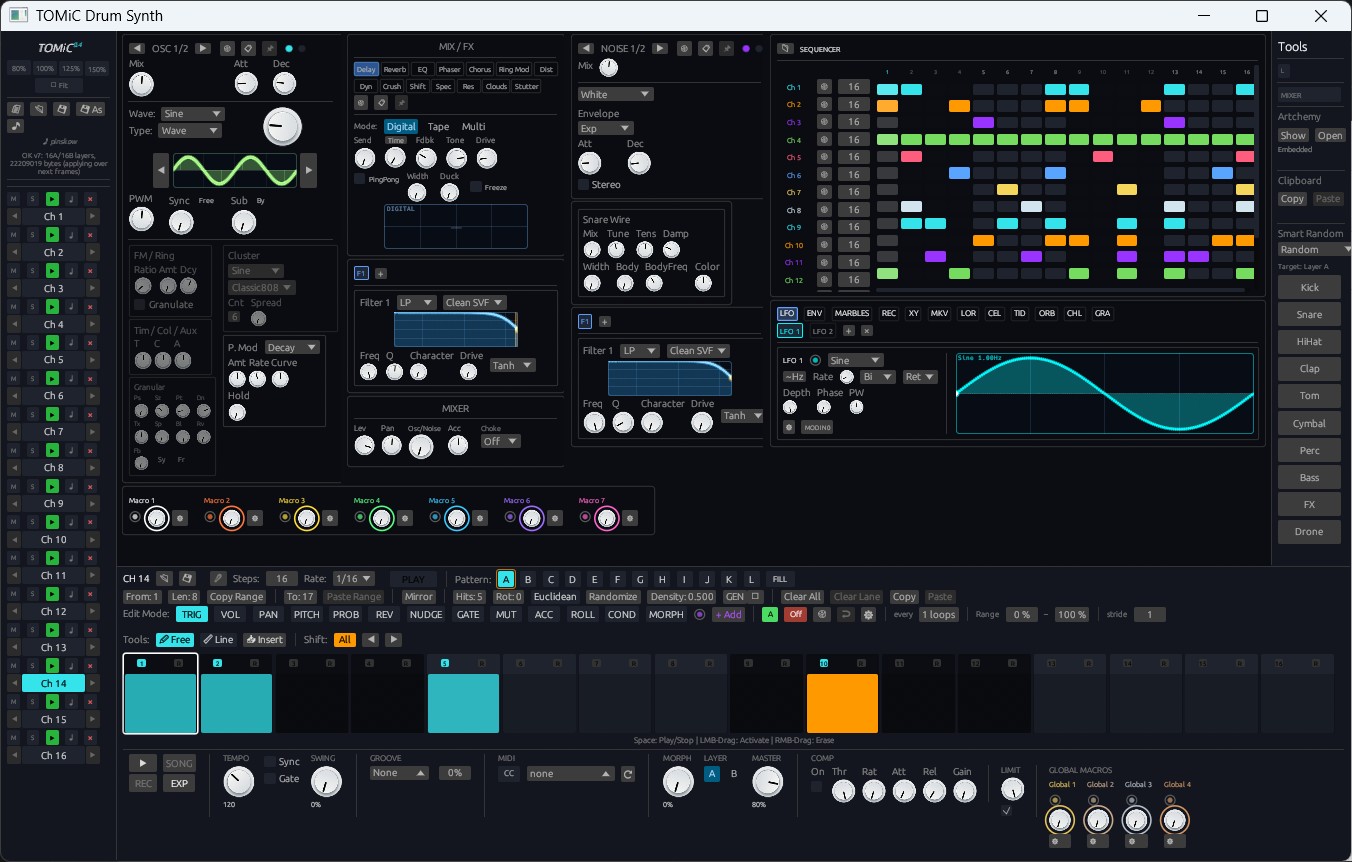
A comprehensive guide to all built-in synthesizers in Omni DAW: Alchemical Synth, PolySynth, BassSynth, Iris (image-to-sound), TOMiC Drum Synth, Piano, and Physical Modeling Suite.
A guide to running plugins in Omni DAW: In-Process mode with Circuit Breaker protection and full out-of-process Sandbox IPC.