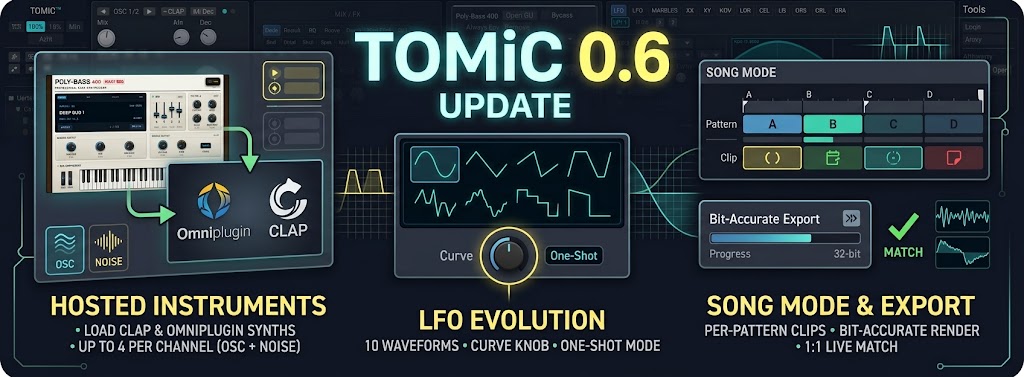
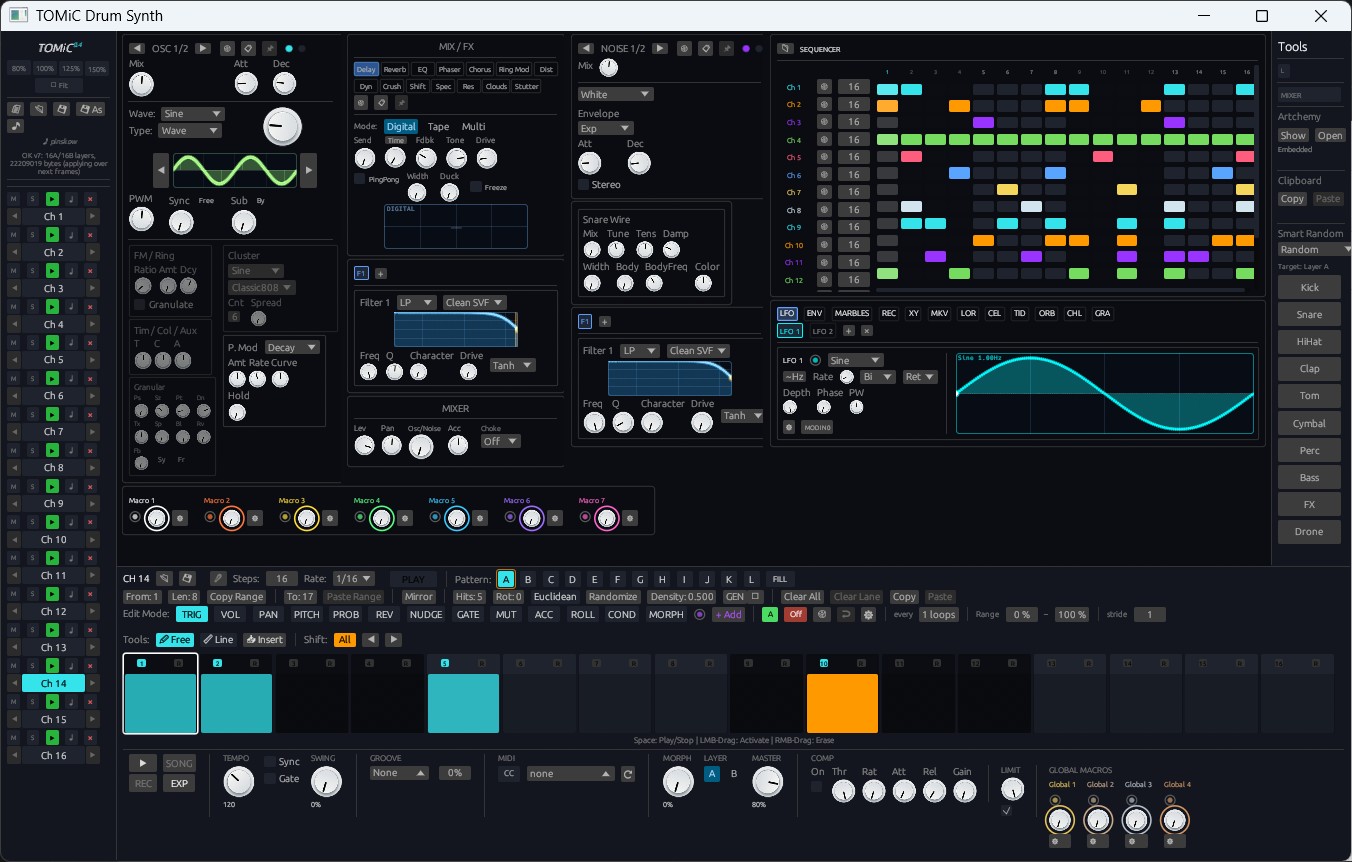
Barely a week after TOMiC 0.5 introduced in-process CLAP effect hosting, TOMiC 0.6 is here — and it goes much further: entire external instruments can now sit inside a TOMiC channel, on both the oscillator and the noise engine. Alongside that headline feature, Song Mode grows real per-pattern memory, offline export is now provably identical to what you hear live, the LFO doubles its waveform count, and a systematic reliability pass fixes several long-standing edge cases.
Here is everything new in TOMiC 0.6:
🔌 1. Hosted Instrument Plugins — CLAP & OMNiPlugin, on OSC and NOISE
TOMiC Standalone can now load a third-party synthesizer straight into a channel layer, replacing the internal sound source instead of just processing it:
- Two Hosting Formats, One Model: Load a CLAP instrument or one of Omni's own OMNiPlugin (
.omniplugin) synths onto Layer A or B. Both formats share the same integration — note events, host-knob binding, modulation, and session persistence — so they behave identically from the mod matrix's point of view. - Now on the NOISE Section Too: Every layer can host two plugins simultaneously — one standing in for OSC 1/2, one for NOISE 1/2 — with the existing Osc/Noise
Mixknob crossfading between them. That's up to four hosted plugins per channel (A/OSC, B/OSC, A/NOISE, B/NOISE), each blended through Morph exactly like TOMiC's own internal engines. - 20 Host Knobs, Fully Modulatable: Each hosted slot exposes 20 of the plugin's own parameters as real TOMiC
FloatParams — meaning they get p-locks, macros, Song Mode automation, undo, and.tomicsession saves for free, and any LFO, ModEnv, Marbles, or Macro can modulate them in real time. - Smart Auto-Mapping with Pinning: Whichever knob you last touch inside the plugin's own GUI automatically claims the next free slot — unless that slot is already routed from the mod matrix, in which case it's protected so a live modulation destination can never be silently reshuffled.
- Always-On Mode for Self-Hosted Sequencers: A new "Always On" flag keeps a hosted plugin's own clock ticking even during silence — essential for hosting a second TOMiC instance (or any plugin with its own internal sequencer) that must stay locked to host tempo rather than freezing between triggers.
- Linux GUI in Its Own Process: OMNiPlugin's WebView-based editor now opens in a dedicated child process on Linux, matching the stability model already used elsewhere in the host.
- Session-Safe: All hosted instruments, their knob mappings, and Always-On state persist directly into your
.tomicfile, and a fresh song cleanly clears every loaded plugin before restoring the new song's own.
Standalone-only, exactly like TOMiC's existing CLAP effect hosting.
🎬 2. Song Mode: Per-Pattern Clips & Live Chain Growth
Building and performing longer arrangements in Song Mode is now far more flexible:
- Per-Pattern Start/Stop Clip: Every pattern (A-L) now remembers its own Clip state per channel — a static baseline you set while editing, plus a live-recorded override captured the same way Mute/Solo automation already worked. Switching patterns snaps each channel's Clip to that pattern's own memory instead of leaving it stuck wherever it last was.
- Live Chain Growth While Recording: With REC and Song Mode both engaged, playing through the pattern chain now appends new positions on the fly instead of looping back to the start — so you can build an arrangement by simply playing it, one pattern at a time, in real time.
- Automation Strip No Longer Steals Screen Space: The persistent Song Automation strip used to shrink the OSC/Noise/LFO editor above it whenever it appeared. The window itself now grows and shrinks physically as you toggle Song Mode, the same runtime-resize path already used by the UI zoom buttons — so your channel editor keeps its full working area no matter what mode you're in.
🎯 3. Export & Bounce That Match Live Playback, Bit-for-Bit
A dedicated pass closed the gap between what you hear on the transport and what lands in your rendered file:
- True 1:1 Offline Rendering: The offline render path now shares its per-block setup with live playback — per-voice BPM tracking, CLAP transport reporting, the full master FX chain, and Hand-Made recorded curves are no longer silently skipped during export. What you bounce is what you heard.
- Three Song Mode Automation-Recording Bugs Fixed: Recording and replaying automation used to count steps differently depending on whether the chain had looped once already; Record-Mute, Record-Solo and Record-Global had no working senders at all; and restamping a recording ignored per-pattern locks. All three are fixed, with
Pattern::cycle_lennow the single, shared definition of a block's length everywhere in the engine. - Bounce Tail & Solo Fixes: A bounced channel's decay tail no longer keeps re-triggering the sequencer after the pattern ends, and Solo during a bounce no longer lets other channels bleed through.
🌊 4. LFO Evolution: 5 → 10 Waveforms, Curve Knob & One-Shot Mode
The LFO engine — shared by every DSP tick, the panel's live visualizer, and the knob modulation ring — has been substantially expanded, with every existing patch guaranteed to sound exactly the same as before:
- 5 New Waveforms: Alongside Sine, Triangle, Saw, Square and Random (S&H), TOMiC now offers Ramp Down, Trapezoid, Stepped (a quantized 2-16 step staircase), Drift (smooth interpolated randomness) and Walk (a bounded random walk that drifts from wherever it last was).
- Pulse Width Goes Multi-Purpose: The same PW knob now means duty cycle on Square, skew on Sine/Triangle, plateau width on Trapezoid, step count on Stepped, and step size on Walk — labeled and re-explained live as you change waveform.
- New Curve Knob: Bends any waveform's pacing between logarithmic, linear and exponential without ever changing its start value, end value, or period — centered (linear) reproduces every classic shape exactly as it always sounded.
- One-Shot Retrigger Mode: Alongside Retrig, Free Run and Free Run + Reset, a new One Shot mode runs exactly one cycle per note and then freezes on the final value — turning any LFO shape into an arbitrary custom envelope.
- Rolling Waveform Trace: Since Random, Drift and Walk aren't functions of phase, the panel visualizer now draws a rolling history of the engine's real output for those waveforms instead of a flat line, so all three read as genuinely distinct characters.
- Randomizer Updated: The patch randomizer now reaches for Drift and Walk alongside the classic shapes when generating analog- and digital-flavored patches.
🛡️ 5. Under-the-Hood Stability: Engine Audit, ASIO Fix & Windows Branding
A systematic reliability pass and two long-standing platform bugs were closed this cycle:
- Real-Time Engine Audit — 8 Bugs Fixed: A full review of the RT audio thread, FFI boundaries, threading, persistence and network safety turned up and fixed: unsanitized NaN/Inf values reaching the host's output buffer, no DSP state recovery after a caught panic (so a single glitch could otherwise repeat forever instead of being a one-time event), an incorrectly-ordered atomic flag in MIDI CC Learn, and missing read timeouts on the license and ElevenLabs HTTP clients (a hung server could previously block a background thread indefinitely). Nine new regression tests guard all of it going forward.
- ASIO Standalone Silence Fixed: Standalone TOMiC could go completely silent on ASIO4ALL, Focusrite USB ASIO, and FL Studio ASIO — audio would simply stop being requested with zero errors logged. The cause: opening both an input and output stream on the same physical ASIO driver silently invalidated the first stream's buffers. Standalone never needs audio input, so it's simply no longer opened under ASIO — output-only, and reliable.
- Proper Windows Branding: The installed
.exe/.dllfiles now carry a real icon and VERSIONINFO resource — previously they had none at all, so Explorer, the taskbar, and desktop shortcuts all fell back to a generic icon despite the installer itself looking correct. The sidebar's version badge, which had one leftover hardcoded "0.5", now reads the real build version at compile time and can no longer drift out of sync with the About dialog.
✂️ 6. Workflow Polish: Slice "Send To" & Sample Editor Fixes
- Send a Single Slice to Another Channel: Right-click any region in the sample-slicing editor for a new context menu — send that one cut to any other channel, to another round-robin variant of the same channel (turning one break into a bank of hits), or straight into the NOISE section. The audio is trimmed to the sample's actual playback window and saved as its own file, so it survives every sample-storage mode, not just Embedded.
- Sample Waveform No Longer Overflows the NOISE Column: The sample thumbnail and its play button could render past the edge of the NOISE tile under certain panel layouts. The available width is now clamped against the real panel boundary rather than a measurement that earlier rows could inflate.
🚀 Get the TOMiC 0.6 Update
The TOMiC 0.6 update is available now for all users.
To update, simply download the latest installer and install it over your existing version. All your presets, sample libraries, and settings will remain completely intact.
- Standard Windows / Linux Installers: Download the latest 0.6.0 build from your user dashboard.
- Legacy CPU Build: If you are running an older processor without AVX2 instructions, download the dedicated compatibility build (
TomicDrumSynth-Setup-0.6.0-compat.exe).
Explore the updated capabilities on the TOMiC Product Page or get your license at the Purchase Portal!