Build: 5de6b9a | October 20 – 25, 2026
The boundaries of what a modern digital audio workstation can be have just expanded significantly. Over the past five days, more than forty-five commits have introduced a pioneering milestone: the world's first native DAW Model Context Protocol (MCP) server and universal JSON-RPC API, alongside dramatic reductions in live MIDI latency, full interface display scaling, and session recording parity.
Here is an in-depth look at what has arrived in Build 5de6b9a!
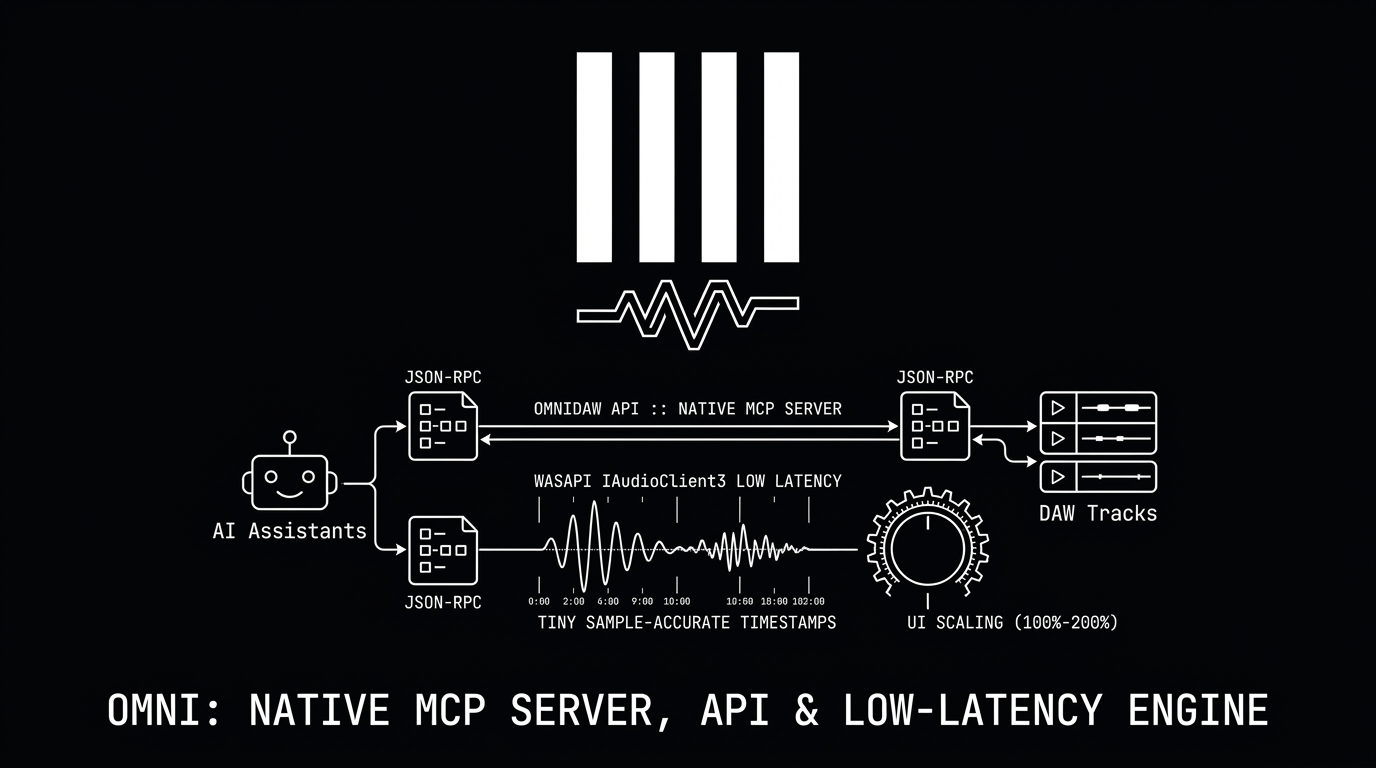
🤖 OmniDAW API & Native MCP Server: AI Meets the Audio Engine
Omni is now the first DAW that can be queried, composed in, mixed, and mastered directly by AI agents, coding assistants (Claude Desktop, Cursor, local LLMs), and developer scripts:
- Official
omni-mcpServer (MIT License): Included out-of-the-box in the Windows installer (omni-mcp.exe) and Linux AppImage (Omni.AppImage --mcp). Built with official MCP SDK 2.x standards, it exposes over 102 typed tools directly to AI clients via stdio. - Universal JSON-RPC 2.0 API (
omni_api): Local TCP server running on127.0.0.1with token discovery (endpoint.json), enabling external Python, Rust, and Node.js clients to drive the DAW. Every edit is executed as a clean single-step undo item (API: ...). - Complete DAW Capabilities Across 21 API Versions:
- Introspection: Query tracks, clips, scene matrices, tempo maps, groove templates, and hardware meters (Peak, RMS, LUFS, True Peak, LRA).
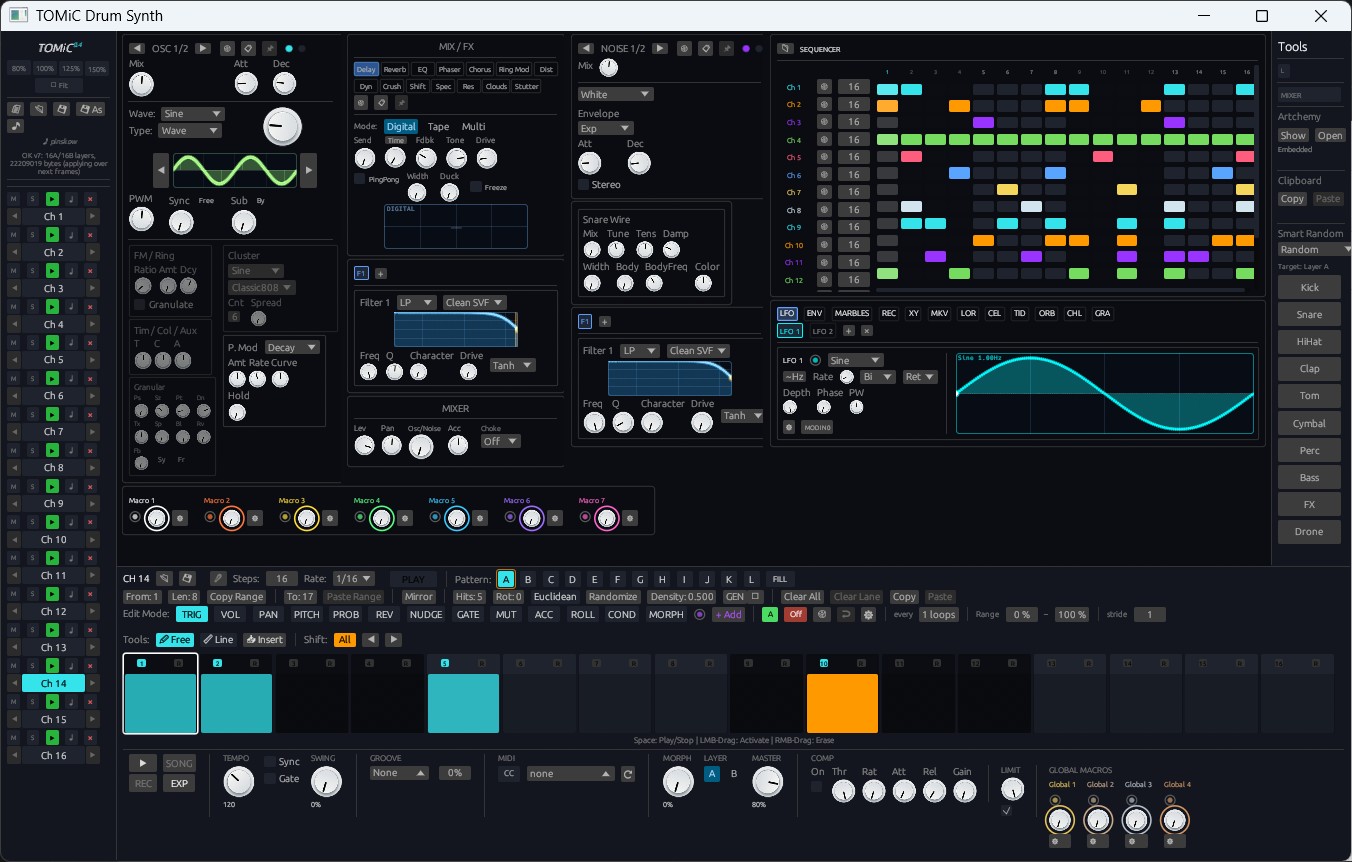
- Composition & Theory: Generate scales, chord progressions, and melodically harmonized tracks; write notes, velocity ramps, and TOMiC drum patterns (
clips.write_drums). - Arrangement & Automation: Build full arrangements from session scenes, position clips on the timeline, insert markers, and read/write parameter automation lanes.
- Mixing, Plugins & Routing: Host built-in instruments and third-party VST3/CLAP/LV2/VST2 plugins; load presets; add return tracks and configure send matrices.
- Mastering & Rendering: Analyze loudness against streaming targets (-14 LUFS, EBU R128); trigger offline high-speed renders, STEMs exports, dithering, and in-place MIDI FX baking.
- Security Sandbox: Granular permissions protect local files, and plugin paths are authenticated via unique IDs.
⚡ Ultra-Low Latency MIDI: WASAPI IAudioClient3 Engine
For keyboardists and finger drummers, live performance feel is everything. Windows audio input has received a fundamental timing overhaul:
- WASAPI
IAudioClient3Support: Enables Windows low-latency exclusive audio streaming, bypassing legacy mixer buffers. - Sub-Block Timestamping: MIDI input events are timestamped directly in the driver callback and positioned at their exact sample offset within the audio block, eliminating buffer-size timing jitter.
- Direct Zero-PDC Monitoring: Live input monitoring routes directly past plugin delay compensation buffers, delivering instantaneous tactile response when striking pads or keys.
🔴 Session-to-Arrangement Recording Parity
Recording live jams from the Session View into the linear Arrangement timeline now delivers 100% audio and musical fidelity:
- Live Clip Continuity: Recording scene triggers into the arrangement now routes through the exact same playback paths as Session View (Ableton-style take mapping).
- Sample-Accurate Note Offs: Micro-length notes and fast rolls are preserved down to the sample without dropped note-offs or hung notes across loop transitions.
- Inter-Clip Instrument Voice State: Synthesizer decay tails and reverb rings sustain naturally between arrangement clips without abrupt silencing.
🎛️ Pro Rotary & Fader Gestures
Tweaking parameters across the mixer and plugin racks feels substantially more refined:
- Relative Value Dragging: Clicking a knob or fader no longer causes jarring value jumps; dragging smoothly adjusts relative to the current position.
- Precision Shift Gearing: Holding Shift engages slow, high-resolution gearing for microscopic adjustments (0.1 dB gain trims, exact Hz filters).
- Mouse Wheel Increments: Scroll directly over controls to step through values.
- Floating Unit Badges: Controls display an elegant tooltip rendering exact formatted engineering units (dB, Hz, ms, %, semitones) in real-time.
🖥️ Universal UI Display Scaling & Searchable Shortcuts (F12)
- Crisp Display Scaling: Omni now scales seamlessly on 1080p, 1440p, and 4K displays. The interface includes an Auto mode based on display height, discrete step presets, and free-form percentage tuning (e.g. 89% or 135%). Adjust on the fly with
Ctrl +,Ctrl -, and reset withCtrl 0. - Global Shortcuts Catalog (
F12/?Icon): A dedicated, searchable dialog categorizes every keyboard shortcut across Session, Arrangement, Piano Roll, and Mixer views. - Arrangement Boundaries: Track headers and timeline rulers feature fixed vertical scrolling boundaries, preventing tracks from sliding underneath toolbars.
- Click-Through Shield: Clicking through modal settings windows will no longer accidentally place stray notes onto underlying editor grids.
Build 5de6b9a sets a new standard for intelligent music production. Update your installation or download the latest release and client examples from the site! 🚀