Build: 582649e | November 3 – November 7, 2026
Following on the heels of the modular multi-monitor workspace overhaul, the Omni engineering team has delivered another landmark release. Over the past 96 hours, eighteen intensive commits have fundamentally re-architected how Omni handles sampling, drum synthesis, and session performance.
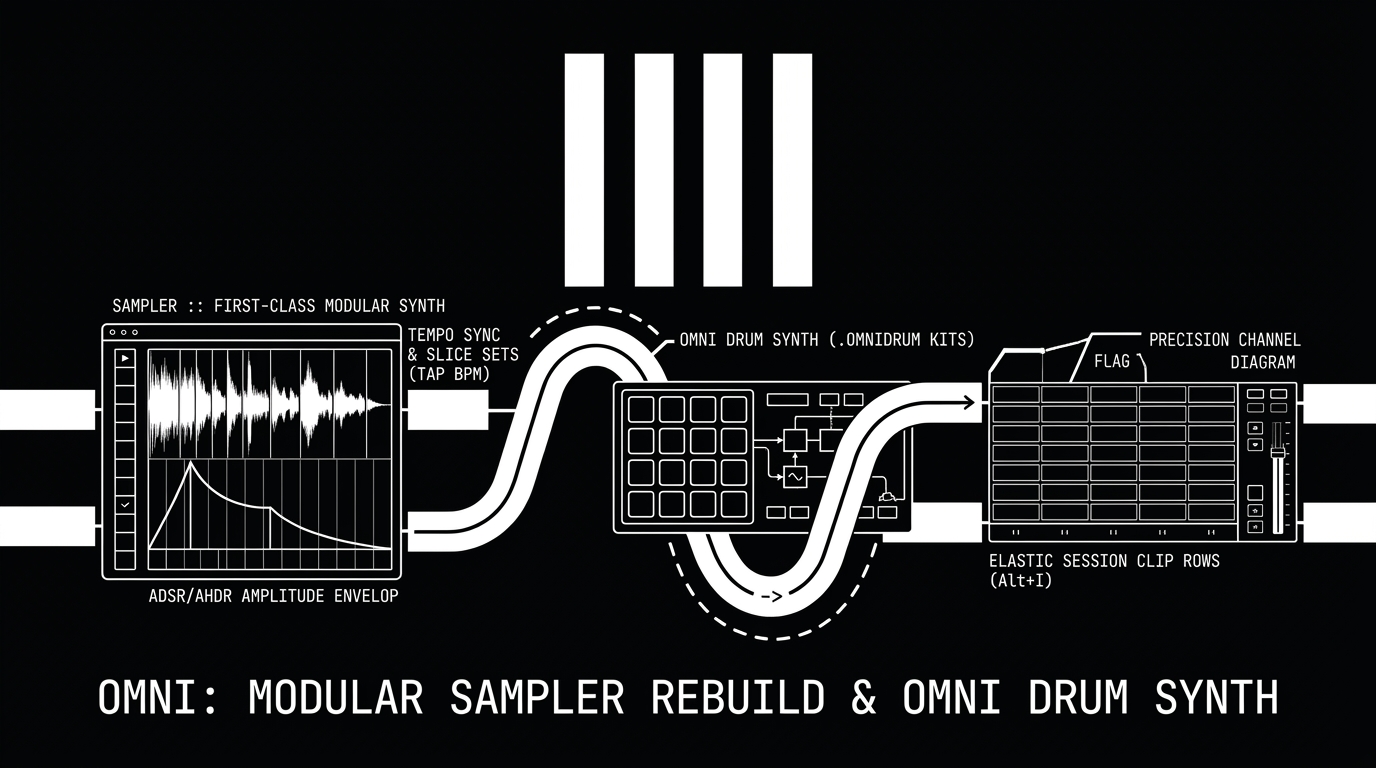
Build 582649e transitions the Sampler from a standalone editor tab into a first-class modular synthesizer device in the Device & FX rack, introduces direct waveform AMP envelope sculpting, named slice sets, and intelligent tempo syncing. Concurrently, Omni's integrated drum engine officially takes center stage as Omni Drum Synth with the new .omnidrum kit format, while the Session View adopts Ableton-style elastic row scrolling and full non-destructive chain undo history.
Here is the complete deep dive into everything new in this update!
🎛️ The Modular Sampler Rebuild: First-Class Device & FX Rack Instrument
Sampling in Omni is no longer tucked away in an isolated editor panel. The entire audio engine (omni_engine/src/sampler/) and user interface (omni_host/src/ui/sampler/) have been broken down from a monolithic 5,500-line codebase into an elegant, modular DSP architecture.
1. Rack-Native Instrument Placement
The Sampler now behaves identically to Omni's flagship synthesis engines:
- True Insert Chain Integration: It lives directly inside the track's Device & FX rack. MIDI FX and the modular routing drawer sit immediately to its left, while audio insert effects, spectral processors, and reverbs chain seamlessly to its right.
- Underlying Piano Roll: With the dedicated "Sample Editor" tab replaced, tracks hosting a Sampler now present the standard, high-precision Piano Roll and Step Sequencer underneath, keeping composition workflow unified.
2. Phase 0.6 Render Pipeline & Live MIDI Playback
- Downstream from MIDI FX: The sampler engine now renders in Phase 0.6 of the audio mix cycle. Previously, sampling evaluated before MIDI FX, preventing note arpeggiators or pitch humanizers from affecting sample playback. Now, any MIDI processor dynamically shapes sampler triggers.
- Plays Without Clip Launch: You no longer need an active running clip or playing transport to hear your instruments. The Sampler responds instantaneously to connected MIDI keyboards, controller pads, and live auditioning, preserving natural ADSR release tails even when the DAW transport is halted.
🌊 Waveform AMP Envelope Handles, Live Auditioning & Slice Sets
The visual waveform canvas has been modularized into specialized rendering passes (peaks, trim, loops, slices, warp, playheads, fade, and envelope), delivering an immediate, tactile sound-sculpting experience:
1. Interactive AMP Envelope Directly on the Waveform
- Direct Visual Handles: Attack, Hold, Decay-Sustain, and Release points are now drawn directly on top of the audio waveform.
- Tactile Dragging: Grab and pull envelope nodes directly on the sample display to shape transients, gate percussive tails, or craft smooth evolving pads without menu diving.
- Full Engine Routing: Slice pads and one-shots route directly through the sampler's analog-modeled multimode filter, pitch shifting, and AMP stages.
2. Instant Auditioning & Interactive Slice Workflow
- Flexible Click Auditioning: Clicking anywhere on the waveform immediately auditions the slice or sample from that exact position to the end. Press and hold to sustain; release to stop.
- Marker Drop Audition: Dragging a slice marker automatically plays the audio at its new drop destination.
- Double-Click Slicing: Double-clicking anywhere on the waveform adds an instantaneous slice cut across all slicing modes.
- Slice Inspector: Fine-tune individual slice properties on the fly: custom slice name, trigger key, gain level, pitch offset, reverse toggle, and choke group assignment.
3. Named Slice Sets (ALL IN, KEYS, NONE)
- Group slices into curated, named sub-collections.
- The Piano Roll, Step Sequencer, and Euclidean generator adapt dynamically to show and trigger only the slices belonging to the currently active set.
- Parked slices keep their programmed patterns safe in background memory (
DrumRackData::parked) and automatically track their audio if earlier slices are added or moved.
⏱️ Integrated Tempo Sync, Tap Tempo & Smart Detection
Locking loops, stems, and vocal chops to project tempo is now effortless:
- Comprehensive Sync Modes: Toggle sample tempo sync with manual BPM entry, or let Omni detect the tempo automatically via filename analysis, rhythmic transient calculation, or bar division.
- Interactive TAP Tempo: Tap out tempos directly on the device header to sync imported loops instantly.
- Quick Multipliers & Fit Controls: Double (
x2), halve (/2), or engageFIT BARSto conform audio phrases to project measure boundaries. - Clean Looping & Warp Vocoder: Seamless ping-pong looping operates cleanly without turn-around phase clicks in both 1-shot and sustained modes, with full unison and reverse warp vocoding support.
🥁 Omni Drum Synth: Official Renaming & Flagship Status
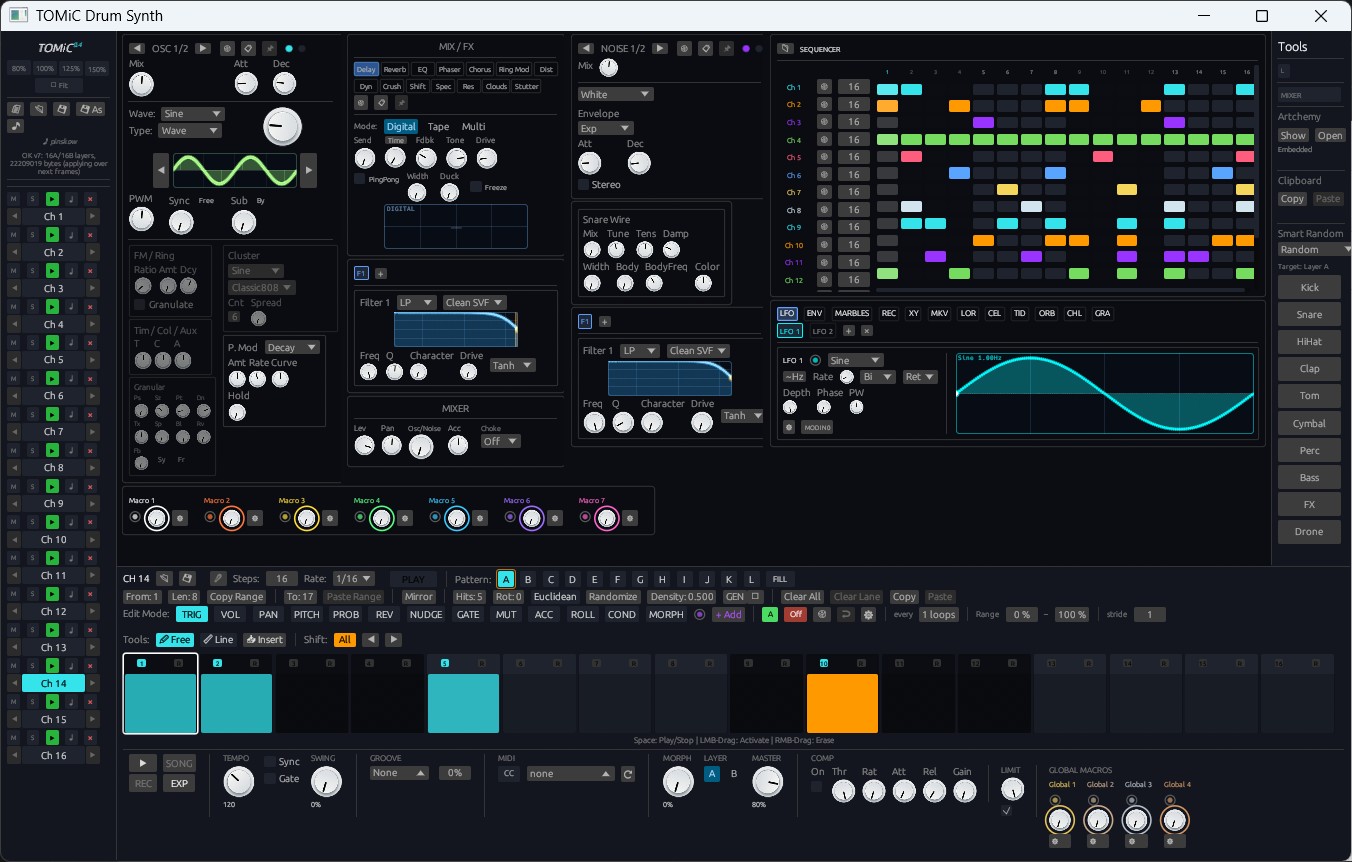
To ensure complete clarity across projects and sound libraries, Omni's built-in multi-engine percussive synthesizer has officially been renamed to Omni Drum Synth, cementing its position as Omni's second flagship native instrument alongside Omni Synth:
- The
.omnidrumFormat: Drum kits, velocity layers, and macro mappings are now packaged cleanly as.omnidrumfiles. - Full Backward Compatibility: Legacy
builtin://tomicrouting paths,.tomnickits, and older project sessions automatically map to Omni Drum Synth without any user intervention or broken patches. - DSP Level Restoration & Braids Polish: Fixed a 6 dB attenuation bug when OSC 2 was disabled, stabilized filter math at high frequencies above Nyquist (preventing NaN flatlines during visual waveform generation), and introduced gentle make-up gain ceilings for quieter Braids synthesis models (FltNoise, Particle, Grain, VowelFOF).
🎹 Elastic Session View Rows & Non-Destructive Chain History
Working in the Session View matrix is smoother, faster, and more ergonomic than ever:
1. Ableton-Style Elastic Row Scrolling
- Anchored Mixer Faders: The mixer fader section maintains a rock-solid, fixed height regardless of bottom panel resizing.
- Elastic Scene Matrix: Expanding the bottom dock or opening the device editor causes the session clip matrix to yield smoothly, introducing unified vertical scrolling across all tracks.
- Clean Project Defaults: New projects now launch with 2 streamlined, distraction-free scene rows.
- Rapid Scene Management: Add new scenes instantly by pressing
+orAlt+I, and remove scenes withAlt+Shift+I.
2. Full Undo / Redo for Clip & Scene Chains
- The Clip Chain and Scene Chain modal editors now support complete, non-destructive
Ctrl+Zundo and redo. - Every parameter change—including step counts, chain progression modes, probability Chance dragging, and random seed mutations—is recorded as an independent history step.
- Uninterrupted Transport: Undoing or redoing chain parameters does not reset or jump the playhead, allowing live performance experimentation without dropouts.
🔀 Modular Routing Spine & Track Reordering Reliability
Omni's modular modulation matrix and track ergonomics receive major reliability enhancements:
- Sleek Modulator Routing Spine: The modulation routing panel now folds down into a unified vertical spine that matches instrument blocks. When collapsed, it displays an elegant numeric badge indicating the exact number of active modulation routes.
- Dynamic Sidechain Persistence: Reordering tracks or generating grouped drum tracks via "+ TRACK" automatically recalculates sidechain routing. Compressors and sidechain modulators continue tracking their intended audio source without reverting to incorrect track indices.
- Relative Knob Modulation: Modulation depth calculations across Omni Drum Synth and physical modeling engines (Flute, Guitar, Modal, Piano, Reed, Violin) now correctly calculate offsets from the physical knob position rather than snapping to zero.
- Universal High-DPI Mouse Precision: Mouse wheel scrolling, pencil note drawing, and selection boxes remain 100% responsive across all custom zoom scales (100% to 200%).
🚀 Available Now
Omni Build 582649e is available immediately in the official GitHub repository and desktop builds. Update today to experience the modular Sampler, build kits in Omni Drum Synth, and enjoy an ultra-fluid Session View workflow.