Build: 8255006 | October 17 – 18, 2026
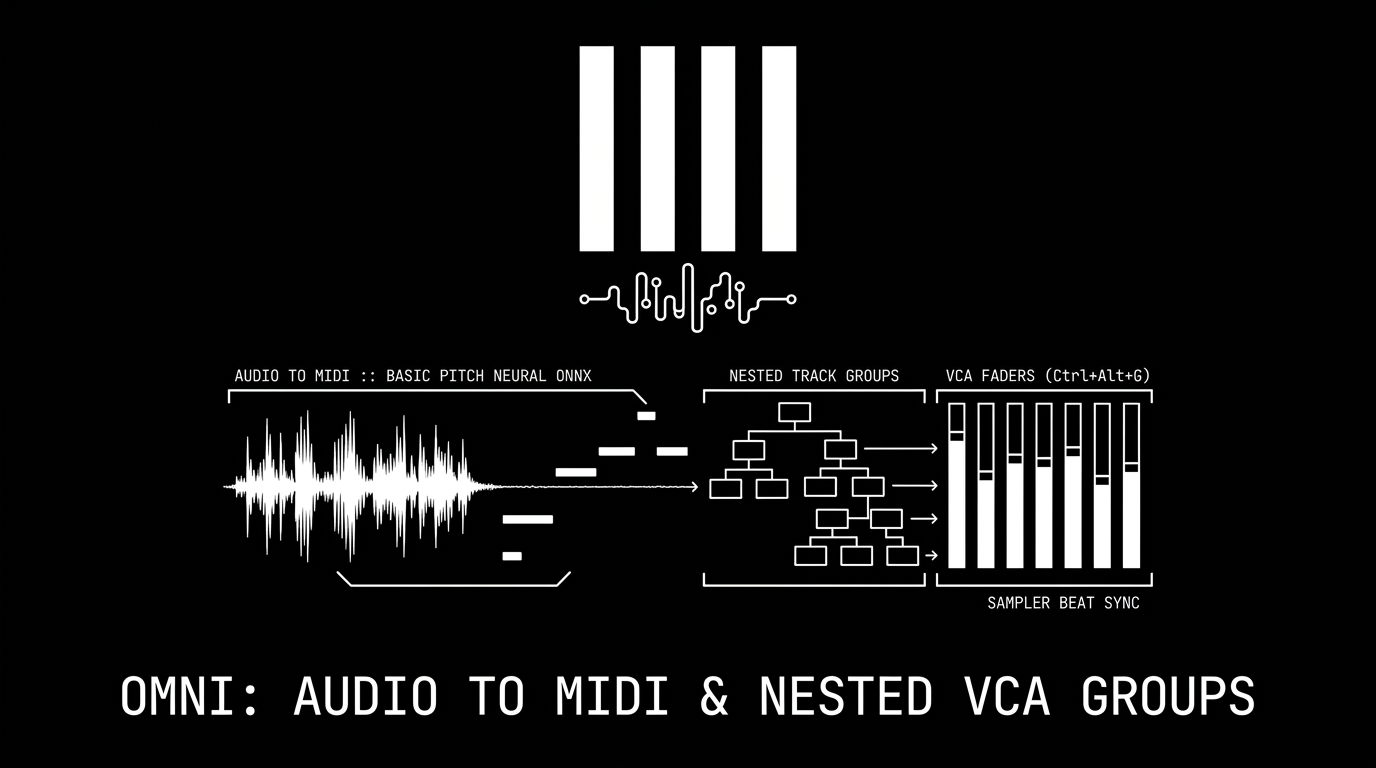
The rapid evolution of Omni continues with one of the most productive workflow releases to date. Over the last 24 hours, seven targeted commits have brought advanced machine learning transcription, professional mixing architecture with nested groups and VCA faders, and streamlined sample editing directly into the workstation.
Here is a breakdown of what has arrived in Build 8255006!
🧠 Neural Audio to MIDI: Spotify Basic Pitch Integration
Converting recorded melodies, guitar riffs, and vocal takes into editable MIDI data is now instantaneous and fully native, powered by a dedicated new engine crate (omni_transcribe):
- Built-in ONNX Neural Model: Embedded directly into the Omni binary via Spotify's open-source Basic Pitch model (Apache-2.0), requiring no external Python runtimes or cloud connectivity.
- Blazing-Fast Analysis: A full 3-minute audio track is processed on the CPU in approximately 1 second. Adjusting real-time controls re-decodes the note matrix in just ~8 ms.
- Browser Panel: Right-click any audio file in the Samples browser (or click the transcribe icon) to launch the interactive AUDIO TO MIDI panel. Audition notes on a live roll, toggle between POLY, MELODY, or BASS modes, dial in SENSITIVITY, SUSTAIN, and MIN DURATION, and drag the resulting MIDI file straight into the Arrangement grid.
- Direct in the Sampler: Click the new transcription button in the Sampler toolbar to display detected notes superimposed over the waveform. Use DRAG MIDI to export the region with sampler pitch offsets applied, or hit SLICE to instantly place sample slice markers on every detected note!
🗂️ Nested Track Groups: Deep Hierarchy & Smart Naming
Managing complex projects with dozens of tracks is now frictionless thanks to a ground-up rewrite of Track Groups (omni_shared::project::groups):
- Hierarchical Nesting: Press
Ctrl+Gto group selected tracks, orCtrl+Shift+Gto ungroup. Groups can be nested infinitely within other groups (e.g., Kick + Snare inside Drums, inside Rhythm Bus). - Smart Auto-Naming: Omni automatically derives logical names based on group members (e.g., grouping kick and snare tracks defaults to "Drums", vocals to "Vocals", synths to "Keys") with unique counter resolution.
- Multi-View Integration: Groups collapse cleanly across both the Arrangement and Session views. In the Session matrix, group slots launch entire rows of member clips at once. Alt-clicking collapses all nested child groups.
- Intelligent Solo Routing: Soloing a child track automatically unmutes its parent group tree, ensuring you hear exactly what you soloed without manual bus hunting.
- Single-Step Undo: Grouping, ungrouping, moving, and reordering are executed as pure functional edits backed by seamless undo and redo.
🎚️ Professional VCA Groups (Ctrl+Alt+G)
In addition to traditional audio-summing Bus Groups, Omni now introduces VCA Groups:
- Remote Fader Control: A VCA channel acts as a master remote control over its member faders without routing their audio to a shared bus. Member tracks continue routing directly to their individual destinations or parent busses.
- Post-Fader Send Integrity: Pulling down a vocal VCA fader lowers the vocal and naturally attenuates its post-fader reverb/delay sends in perfect proportion, while pre-fader headphone cue sends remain untouched.
- Visual Ghost Faders: Member track strips display a subtle "ghost fader" indicator revealing the actual auditioned gain (member fader × VCA multiplier) across the Arrangement, Session, and Mixer console.
- VCA Nesting & Metering: VCAs can control other VCAs hierarchically or sit atop Bus groups. The VCA meter dynamically displays the loudest signal among its assigned tracks.
- Lossless Ungrouping: Dissolving a VCA group automatically bakes the VCA's current offset into the member faders, guaranteeing your mix balance remains identical.
✏️ Universal Inline Rename (Ctrl+R)
Renaming elements is now instant and consistent across the entire DAW:
- Press
Ctrl+Ron any selected track, group, or scene in the Arrangement, Session columns, or Mixer console to open an inline editor directly at the cursor. - Type your label, press Enter (or click away) to save, or press Esc to cancel. Group creation automatically focuses the rename field for immediate typing.
🌊 Sampler Beat Snapping & Region Length (LEN)
Fine-tuning loop boundaries in the Sampler is now musically aligned to your project:
- Musical Bar Presets: The Sampler waveform toolbar features a new LEN button with quick presets (1/4, 1/2, 1, 2, 4, 8 bars, etc.).
- Beat-Snapped Loop Ends: Dragging the loop End point automatically snaps to the nearest musical beat division based on project tempo or warped sample timing.
🎨 Minimalist Graphite Scrollbars
The interface has received a visual polish with new ultra-slim scrollbars:
- Replaced heavy 10 px white bars with a sleek 3 px graphite scroll line that never obscures track contents or device parameters.
- Expands smoothly to 7 px under the mouse cursor with interactive hover and drag highlights.
Build 8255006 brings professional mix architecture and intelligent music AI together in one seamless release. Update your build or download the latest version today! 🚀